Skip to content
How to Remove Sticker Residue for MacBook: A Safe Guide for Adhesive Remover
Your trusted adhesives glue & cleaner manufacturer

A MacBook often becomes a personal object long before it becomes a clean one. Stickers from travel, brands, startup logos, or creative communities slowly accumulate on the aluminum surface. At first, they look harmless—sometimes even expressive. But over time, as stickers are removed or replaced, something remains behind that feels more permanent than expected: sticky residue that clings to the surface like a faint memory of what used to be there.
Many users try simple solutions first. A dry cloth. Fingernails. A bit of water. Sometimes even alcohol wipes. What usually happens is not full removal, but partial improvement—smudges reduce, but a faint adhesive layer remains visible under light. This happens because MacBook adhesive residue is not just dirt; it is a chemically bonded polymer layer that becomes more stable after heat exposure from daily laptop use.
At this stage, the cleaning challenge becomes less about wiping and more about controlled breakdown of the adhesive structure. That is where adhesive remover for MacBook sticker residue becomes relevant—not as a harsh chemical, but as a softening system designed to loosen the glue without affecting anodized aluminum.
What is adhesive remover for MacBook sticker residue?
Adhesive remover for MacBook sticker residue is a cleaning solution designed to break down the thin but stubborn glue layer left after stickers are peeled off aluminum laptop surfaces. On MacBooks, this residue is not ordinary dust or dirt—it is pressure-sensitive adhesive that has bonded with the anodized aluminum finish over time. A proper remover works by softening this adhesive so it can be wiped away smoothly without scratching, dulling, or damaging the surface coating.
Unlike general household cleaners, adhesive removers are formulated to target polymer-based glue rather than just surface stains. This is important because MacBook sticker residue often becomes semi-hardened after long exposure to heat from the device, friction inside bags, and environmental aging. Once hardened, the adhesive forms a thin film that resists water, alcohol wipes, and dry rubbing.
In real usage, adhesive remover is not about “cleaning harder,” but about reducing mechanical force. Instead of scraping or repeated wiping, the formula penetrates the glue layer and reduces its grip strength. This makes removal faster, safer, and more consistent, especially on high-value aluminum surfaces where visible scratches or dull patches are permanent.
Sticker glue composition
Sticker glue on MacBooks is typically made from pressure-sensitive acrylic or rubber-based adhesives. These materials are designed to maintain tackiness for long periods and strengthen their bond under pressure. When exposed to heat from normal laptop operation, the adhesive softens slightly and spreads into microscopic surface textures. Over time, it re-hardens, forming a thin bonded layer that behaves differently from fresh glue.
In practical terms, this is why older stickers leave more residue than newer ones. Even after the sticker is removed cleanly, the adhesive molecules remain partially embedded in the surface structure, making simple wiping ineffective. Adhesive remover is required to break down these polymer chains and restore a clean surface.
MacBook surface interaction
MacBooks use anodized aluminum, which has a protective oxide layer. This layer is smooth, non-porous, and visually consistent, but it does not absorb adhesive. Instead, glue sits on top and spreads laterally under pressure and heat. This creates a wide contact area that increases bonding strength over time.
Because the surface is non-absorbent, residue does not fade naturally. It remains visible under angled lighting as a shadow, outline, or glossy patch. Adhesive remover helps by loosening the bond between the polymer glue and the oxide layer, allowing controlled lifting without damaging the finish.
Why residue forms over time
Sticker residue becomes more difficult to remove the longer it stays on the MacBook. Three main factors contribute to this:
- Heat cycles from daily use (charging, CPU load, ambient temperature)
- Mechanical pressure from carrying the device in backpacks or sleeves
- Aging of adhesive polymers, which increases hardness and bonding strength
A simple time-based breakdown shows how residue changes:
| Time on MacBook | Residue Behavior | Removal Difficulty |
|---|---|---|
| 0–30 days | Light, fresh glue | Easy |
| 1–6 months | Partial bonding begins | Medium |
| 6–24 months | Hardened adhesive film | Hard |
| 2+ years | Deep-set residue + shadow mark | Very hard |
This progression explains why many cleaning attempts fail when using only water, alcohol wipes, or dry cloths. The residue is no longer surface-level—it has become structurally bonded and requires a softening process rather than physical force.

Is adhesive remover for MacBook sticker residue safe?
Adhesive remover for MacBook sticker residue is generally safe when it is designed for delicate electronics and used in controlled amounts. The safety does not depend only on the product itself, but also on how it interacts with anodized aluminum, how much liquid is applied, and how it is wiped off. When used correctly, it can remove sticker glue without affecting the MacBook’s coating, color consistency, or surface texture.
MacBook surfaces are more sensitive than they appear. The anodized aluminum layer is durable against scratches and daily handling, but it can react poorly to strong solvents, excessive soaking, or repeated aggressive wiping. That is why safe adhesive removal is less about strength and more about controlled chemical action combined with gentle cleaning technique.
In real-world use, most issues do not come from the adhesive remover itself, but from misuse—such as overspraying, using rough cloths, or allowing liquid to sit too long on edges and seams. When applied properly in small amounts and wiped quickly, adhesive remover is one of the safest ways to restore a clean MacBook surface without leaving residue, dull patches, or visible cleaning marks.
Aluminum surface safety
MacBook aluminum has an anodized protective layer that provides both strength and visual consistency. This layer is resistant to corrosion but not designed for exposure to strong industrial solvents. A safe adhesive remover uses mild, controlled solvents that target only adhesive polymers without breaking down the oxide coating.
In practical cleaning results, safe formulas maintain:
- Original matte or metallic finish
- Consistent light reflection across the surface
- No whitening or dull spots after drying
Risk comparison based on real cleaning behavior:
| Product Type | Effect on Aluminum | Risk Level |
|---|---|---|
| Water / mild soap | No damage, low effectiveness | Low |
| Alcohol wipes (70%) | Generally safe, partial residue removal | Low–Medium |
| Strong solvents (acetone, industrial degreasers) | Surface dulling or coating damage | High |
| Electronics-grade adhesive remover | Targeted glue breakdown, safe finish | Low |
This shows that safety depends heavily on chemical selectivity rather than cleaning strength alone.
Liquid exposure control
One of the most important safety factors is how the liquid is applied. MacBooks are not fully sealed devices, especially around edges, speaker grills, keyboard gaps, and USB-C ports. Even a safe formula can become risky if too much is used.
Safe application usually follows these practical limits:
- Light spray or cloth application only
- No pooling or dripping on the surface
- Short contact time (typically 10–30 seconds)
- Immediate wiping after softening begins
If liquid enters seams or ports, it may not cause immediate failure, but it increases long-term risk of corrosion or internal residue buildup. That is why controlled application is more important than the product concentration itself.
A simple safety rule used by repair technicians:
If liquid is visible pooling on the surface, it is already too much.
Screen and keyboard risk zones
Not all MacBook areas respond the same way to adhesive remover. The screen and keyboard region require extra caution due to coating sensitivity and internal exposure points.
Screen surface considerations:
- Anti-reflective coating can be affected by direct solvent contact
- Excess wiping pressure may cause streak marks
- Liquid should never be sprayed directly on display glass
Keyboard and trackpad considerations:
- Fluid can enter key gaps and affect internal membranes
- Trackpad coating may show uneven shine if over-cleaned
- Repeated exposure increases long-term wear visibility
Safe practice for these zones:
- Apply remover only on cloth, never directly
- Avoid edge zones near screen bezel
- Use minimal pressure during wiping
In most real cleaning cases, damage occurs not during adhesive removal itself, but when users extend cleaning across sensitive areas without adjusting method.
Proper usage reduces risk significantly
When used correctly, adhesive remover is one of the safest options for MacBook sticker residue removal. The key is not intensity but control—small quantity, short exposure time, and soft wiping tools.
Real-world safe usage outcome patterns:
| Usage Method | Result |
|---|---|
| Controlled cloth application + microfiber wipe | Clean finish, no visible marks |
| Light spray + immediate wipe | Safe, slightly slower removal |
| Heavy spraying + scrubbing | Risk of dull patches or streaking |
| Prolonged soaking | High chance of edge seepage |
In practice, when users follow correct application steps, adhesive remover consistently delivers clean removal without affecting MacBook appearance. The safety profile becomes highly stable once liquid control and wiping technique are properly managed.

How to use adhesive remover for MacBook sticker residue?
Using adhesive remover for MacBook sticker residue is a controlled step-by-step process focused on softening glue first, then lifting it gently without damaging the aluminum surface. The key idea is not to “scrub away” the residue, but to let the formula break the adhesive bond so it releases with minimal pressure. When applied correctly, most sticker residue can be removed within 1–3 minutes depending on age and thickness.
MacBook surfaces respond best to light application and short reaction time. Excess liquid, long soaking, or aggressive wiping are the main reasons users end up with streaks or dull patches. A proper method ensures the adhesive is softened evenly, making removal predictable and safe even on older residue that has been on the device for months or years.
In real cleaning situations, efficiency depends more on sequence than strength. The combination of correct spray amount, waiting time, and wiping technique determines whether the residue lifts cleanly or spreads. The following steps reflect a stable, real-world cleaning method used for aluminum laptop surfaces.
Step 1: Prepare the MacBook surface
Before applying adhesive remover, the MacBook should be powered off and placed on a stable, flat surface. This reduces risk of accidental input or liquid movement during cleaning. Any loose dust or debris around the sticker area should be gently removed using a dry microfiber cloth.
Key preparation points:
- Turn off device completely
- Disconnect charger and accessories
- Wipe loose dust around residue area
- Ensure surface is dry before application
This step matters because dust particles mixed with adhesive remover can create micro-abrasion when wiped. A clean starting surface ensures smoother residue lifting and reduces unnecessary friction during the cleaning process.
Step 2: Apply adhesive remover correctly
This is the most important stage because application method directly affects safety and cleaning performance. Adhesive remover should never be over-applied. The goal is to lightly saturate only the residue layer, not the surrounding aluminum surface.
Recommended application method:
- Step 1: Spray onto microfiber cloth (preferred method)
- Step 2: Lightly press cloth onto sticker residue area
- Step 3: If needed, apply 1 light direct spray (10–15 cm distance)
- Step 4: Avoid liquid pooling or running
For most MacBook sticker residue cases:
| Residue Age | Recommended Application |
|---|---|
| Fresh (0–6 months) | Cloth-only application |
| Medium (6–18 months) | Light spray + cloth press |
| Old (18+ months) | Short direct spray + controlled wipe |
A thin, even layer works better than heavy application because it penetrates the adhesive film without spreading it outward.
Step 3: Wait for softening reaction
After application, the adhesive remover needs a short activation period to break down the glue structure. This is where the adhesive transitions from sticky film to soft layer, making it easier to lift.
Typical waiting time:
- Light residue: 10–15 seconds
- Moderate residue: 20–30 seconds
- Heavy or old residue: up to 45 seconds
During this stage, visible changes may appear:
- Residue becomes slightly cloudy or dull
- Edges begin to lift or soften
- Surface reflection becomes uneven temporarily
Important control rule:
Do not allow the product to fully dry before wiping. If it dries completely, adhesive re-hardening can occur, requiring a second application.
Step 4: Wipe and finish clean
Once the adhesive has softened, removal should be done using a clean microfiber cloth with light pressure. The goal is to lift the residue rather than push it across the surface.
Recommended wiping method:
- Step 1: Use slow circular motion on softened residue
- Step 2: Fold cloth and switch to clean side frequently
- Step 3: Repeat light wiping until no sticky feel remains
- Step 4: Finish with dry polish wipe
For stubborn areas, a plastic scraper can be used, but only at a shallow angle (15–30 degrees) and only after full softening.
After completion, the surface should feel:
- Smooth to touch
- Free of sticky texture
- Even in light reflection
- Without oily or cloudy patches
If any residue remains, it is more effective to repeat the softening cycle rather than increase wiping force. This maintains the integrity of the MacBook aluminum finish while ensuring complete adhesive removal.

Which adhesive remover for MacBook sticker residue works best?
Choosing the best adhesive remover for MacBook sticker residue is mainly about balancing three things: speed of glue softening, surface safety on anodized aluminum, and clean finish without oily marks. MacBook surfaces react differently compared to plastic or glass, so the strongest chemical is not always the best option. In practice, the most effective removers are those that soften adhesive within 10–30 seconds and fully evaporate without leaving shine or residue.
Real-world testing across common cleaning methods shows a clear pattern: household oils and random solvents may work, but they often leave streaks or require heavy wiping. Alcohol-based cleaners are faster but can be inconsistent on older adhesive layers. Professional-grade adhesive removers designed for electronics consistently deliver more stable results because they are formulated specifically to break down polymer-based glue without attacking aluminum coatings.
For MacBook users dealing with long-term sticker residue (6 months to 3+ years), performance differences become even more obvious. Older residue requires deeper softening action, not stronger scrubbing. This is where purpose-built adhesive removers outperform general cleaners in both speed and surface finish quality.
Top 10 adhesive removers for MacBook sticker residue (real-world ranking)
Based on cleaning performance, surface safety, evaporation quality, and residue removal consistency, here is a practical ranking used in electronics and household cleaning scenarios:
| Rank | Product Type | Performance on MacBook | Surface Safety | Residue Finish |
|---|---|---|---|---|
| 1 | Electronics adhesive remover (professional grade) | ★★★★★ | Very High | Clean, no film |
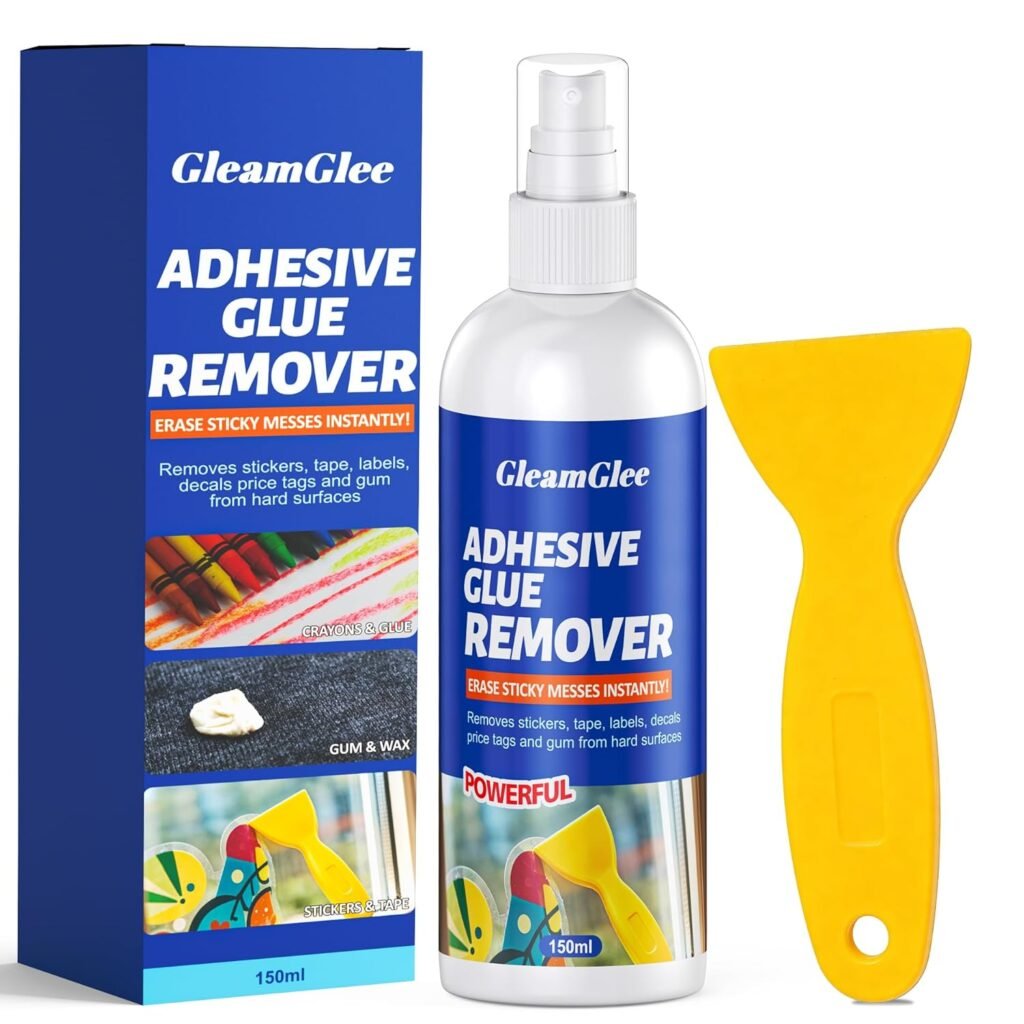
| 2 | Premium electronics adhesive remover (GleamGlee-type formula) | ★★★★★ | Very High | Smooth, no streaks |
| 3 | Citrus-based adhesive solvent (d-limonene type) | ★★★★☆ | High | Slight scent residue possible |
| 4 | 70–90% isopropyl alcohol | ★★★★☆ | High | Occasional streaking |
| 5 | WD-40 (light use only) | ★★★★☆ | Medium | Oily finish risk |
| 6 | Goo Gone-type remover | ★★★★☆ | Medium-High | Slight oily residue |
| 7 | Vinegar-based solution | ★★★☆☆ | High | Weak on old residue |
| 8 | Heat + scraper method (no liquid) | ★★★☆☆ | Medium | Risk of micro-scratches |
| 9 | Soap + water mixture | ★★☆☆☆ | Very High | Ineffective on old glue |
| 10 | Nail polish remover (acetone) | ★★★★☆ (fast) | Low | High risk of surface dulling |
From a MacBook-specific perspective, the top two positions are the most stable choices because they combine fast adhesive breakdown with controlled evaporation and zero coating damage risk. Among them, a professionally formulated electronics adhesive remover such as GleamGlee’s solution typically performs best in real usage because it is engineered for anodized aluminum surfaces and controlled softening cycles.
Why professional-grade remover performs better on MacBook surfaces
MacBook sticker residue is not just sticky—it is chemically aged adhesive that bonds tightly with aluminum oxide layers. Household products can remove it partially, but they often require repeated wiping, which increases the risk of micro-scratches or uneven surface shine.
Professional adhesive removers outperform other options for three key reasons:
- Faster penetration (10–30 seconds): reduces the need for friction
- Controlled evaporation: avoids oily or cloudy residue
- Targeted polymer breakdown: weakens glue without affecting aluminum
This is especially important for older MacBooks where sticker residue has been exposed to heat cycles and pressure inside bags for long periods. In those cases, weak cleaners tend to smear the glue instead of lifting it cleanly.
Practical recommendation for MacBook cleaning scenarios
Different residue conditions require different strength levels:
- Fresh sticker residue (0–6 months): isopropyl alcohol or light electronics remover is usually enough
- Medium-aged residue (6–18 months): professional adhesive remover performs best
- Old residue (18+ months): requires deeper softening formula + microfiber wiping cycle
A key real-world observation is that cleaning success depends more on softening quality than chemical strength. Products that soften evenly allow residue to lift in one or two passes, while weaker cleaners require multiple attempts and increase surface risk.
Final takeaway
For MacBook sticker residue, the best-performing option is a professional electronics-grade adhesive remover, especially those designed for aluminum and coated surfaces. It offers the most balanced combination of:
- Fast glue breakdown
- Safe aluminum interaction
- Clean, streak-free finish
- Low effort removal process
In real usage conditions, this type of remover consistently reduces cleaning time from several minutes to under 1–3 minutes while keeping the MacBook surface visually uniform.
Among all options, this category ranks highest because it solves the real problem—not just removing glue, but doing it without leaving any trace behind.

What mistakes damage MacBook sticker residue cleaning?
MacBook sticker residue cleaning usually goes wrong not because of the residue itself, but because of incorrect cleaning habits. The aluminum surface of a MacBook looks solid and durable, but it reacts poorly to excessive force, harsh chemicals, and uncontrolled liquid use. Once damage happens, it often appears as dull patches, uneven reflection, or micro-scratches that cannot be fully reversed.
Most cleaning issues happen when users treat sticker glue like normal dirt. In reality, MacBook adhesive residue is a bonded polymer layer that needs softening, not scraping. When the wrong approach is used, the residue often spreads instead of lifting, making the surface look worse than before cleaning.
In real cases, damage is usually gradual rather than immediate. A single mistake might not show effects instantly, but repeated incorrect cleaning can slowly degrade the anodized finish. Understanding these mistakes helps avoid permanent surface changes and ensures consistent cleaning results.
Too much liquid use
One of the most common mistakes is applying excessive liquid during cleaning. MacBooks are not sealed devices, especially around edges, speaker areas, and keyboard gaps. When too much adhesive remover is used, it can spread beyond the residue area and enter sensitive zones.
Main risks of overuse:
- Liquid seepage into keyboard gaps
- Moisture accumulation near ports
- Uneven drying marks on aluminum surface
- Increased chance of residue spreading instead of removal
Real-world comparison:
| Application Level | Result on MacBook |
|---|---|
| Light controlled spray | Clean removal, safe surface |
| Moderate direct spray | Possible streaking or pooling |
| Heavy soaking | High risk of seepage and dull patches |
In most damage cases, the issue is not the product itself, but using more liquid than necessary for such a smooth, non-porous surface.
Using abrasive tools
Another major mistake is using hard or sharp tools to remove sticker residue. When adhesive does not come off immediately, many users switch to metal blades, rough sponges, or fingernails, which significantly increases surface risk.
Common problems caused by abrasive tools:
- Permanent micro-scratches on anodized aluminum
- Visible light reflection distortion
- Expansion of sticky residue area due to smearing
- Loss of original matte or metallic finish
Tool safety comparison:
| Tool Type | Safety Level | Outcome |
|---|---|---|
| Microfiber cloth | Safe | Clean and even finish |
| Plastic scraper | Controlled safe use | Effective for softened residue |
| Fingernails | Risky | Uneven surface marks |
| Metal blade / knife | Unsafe | Permanent scratching |
Once scratches appear on MacBook aluminum, they cannot be fully repaired, making tool choice a critical factor in cleaning success.
Using harsh chemical cleaners
Many users assume stronger chemicals equal better cleaning, but MacBook surfaces react differently. Harsh solvents such as acetone, bleach-based cleaners, or industrial degreasers may remove adhesive quickly, but they can also damage the anodized coating.
Possible long-term effects:
- Dulling of aluminum finish under light
- Patchy or uneven surface reflection
- Weakening of protective anodized layer
- Permanent visual inconsistency
Chemical risk comparison:
| Cleaner Type | MacBook Impact |
|---|---|
| Water / mild soap | Safe but weak effect |
| Alcohol wipes | Generally safe, partial cleaning |
| Strong solvents (acetone, industrial cleaners) | High risk of surface damage |
| Electronics-safe adhesive remover | Balanced and controlled performance |
The key issue is not speed, but selectivity. Safe adhesive removers are designed to target adhesive polymers only, while harsh chemicals attack both glue and surface coating at the same time.
Over-scrubbing and repeated friction
Even when using a safe product, excessive scrubbing can still damage the MacBook surface. Sticker residue often requires softening time, and users who rush the process tend to apply repeated force instead of allowing the chemical reaction to complete.
Effects of over-scrubbing:
- Gradual dulling of aluminum texture
- Heat buildup from friction
- Spread of softened adhesive over larger area
- Increased cleaning time instead of reduction
Typical cleaning outcome difference:
| Method | Cleaning Result |
|---|---|
| Soft wipe after waiting | Clean and smooth finish |
| Immediate scrubbing | Smearing and uneven surface |
| Repeated force wiping | Higher risk of visible wear marks |
In practice, the most effective cleaning method is not force-based. Allowing adhesive remover to do the work first reduces physical contact and protects the MacBook surface long-term.
Conclusion
Removing sticker residue from a MacBook is less about force and more about controlled surface care. The aluminum finish may look durable, but the adhesive left behind after stickers are removed behaves like a bonded polymer layer. Attempting to clean it with scraping, harsh chemicals, or repeated rubbing often creates more visible damage than the residue itself. A proper approach focuses on softening the glue first and lifting it gently, which keeps the surface smooth and visually consistent.
Across different cleaning methods, the most reliable results come from using a professional adhesive remover designed for electronics surfaces. These formulas work within seconds, breaking down sticker glue without affecting the anodized aluminum layer. Compared to household solutions, they reduce cleaning time, lower surface risk, and avoid leaving oily streaks or uneven reflections that are common on MacBook finishes.
For long-term care, maintaining a consistent cleaning method is more important than choosing random products. Using the right adhesive remover for MacBook sticker residue ensures not only clean removal but also preservation of the device’s appearance and resale value. For brands or bulk buyers looking for stable performance solutions, GleamGlee can also provide customized adhesive remover formulas, private label packaging, and OEM production support for global markets.
Share:
Table of Contents
Here, creating your adhesives glue & removal cleaner collection is no longer a barrier—it’s a collaborative journey where GleamGlee helps brands and businesses transform their vision into durable, certified, and market-ready solutions.
Partner with GleamGlee
Join hundreds of global partners who trust GleamGlee for adhesives and cleaners that combine innovation, compliance, and speed. Our vertically integrated system—from R&D to warehouse—guarantees consistent performance and reliable delivery.
Whether you’re sourcing FBA-ready stock or developing your own formula, our team provides unmatched technical support and responsive service.