Skip to content
What Adhesive Remover Works for iPhone Case Sticker Residue:A Complete Guide
Your trusted adhesives glue & cleaner manufacturer

Sticker residue on an iPhone case looks like a small problem until it starts collecting lint, dust, and pocket fibers every day. A price label leaves a cloudy square. A cute sticker peels off but leaves a sticky shadow. A MagSafe ring sticker, barcode label, tape strip, or decorative decal comes off in pieces, and the case suddenly feels dirty even after wiping. Many people try fingernails, alcohol wipes, dish soap, kitchen oil, or a sharp blade, but the wrong method can leave scratches, dull spots, oily marks, or discoloration.
Adhesive remover for iPhone case sticker residue should soften sticky glue quickly, reduce scraping, and help the residue wipe away from the case surface. The safest method is to remove the case from the phone first, test a hidden area, apply a small amount to the sticky spot, wait briefly, lift softened glue with a plastic scraper or cloth, then wipe clean and let the case dry fully.
The tricky part is that iPhone cases are not all the same. A clear TPU case, silicone case, hard plastic shell, printed case, matte case, coated case, and leather-style case can react differently to liquid cleaners. One method may work beautifully on a hard plastic case but leave a cloudy patch on a clear case or darken a leather-style surface. That is why a careful cleaning process matters. The goal is not just to remove glue. The case should still feel smooth, look clean, and fit back on the phone without any leftover cleaner trapped around buttons, corners, or camera cutouts.
What Is iPhone Case Sticker Residue?
iPhone case sticker residue is the sticky adhesive film left behind after removing a label, price tag, barcode sticker, decorative decal, tape strip, protective film, or MagSafe-style ring sticker from a phone case. It may look like a cloudy square, a yellowish outline, a shiny patch, a gray lint-covered mark, or a gummy layer that still feels tacky after wiping. On clear cases, the mark is usually more visible because light passes through the plastic and makes every smudge stand out.
This residue forms because stickers are designed to stay attached during shipping, storage, daily handling, and temperature changes. When the sticker is peeled off, the top paper or film may separate from the adhesive layer, leaving part of the glue bonded to the case surface. Heat from hands, pockets, cars, sunlight, or wireless charging can make the glue spread thinner and grip harder. Over time, dust, hand oil, lotion, and pocket fibers mix into the residue, making it darker and harder to wipe away with water alone.
The cleaning challenge depends on the case material. Hard plastic cases may scratch if scraped too aggressively. Silicone cases can hold a tacky feel even after the visible residue is gone. Clear TPU cases can show cloudy patches, fine scratches, and yellowing more easily. Printed, matte, soft-touch, leather-style, or coated cases may change color or finish if the wrong cleaner is used. That is why iPhone case sticker residue should be softened first, then wiped or lifted gently instead of being attacked with sharp tools or harsh solvents.
Why Does iPhone Case Sticker Residue Look Cloudy?
Sticker residue looks cloudy on an iPhone case because the leftover glue creates an uneven layer on the surface. Instead of letting light reflect or pass through cleanly, the adhesive film catches dust, lint, fingerprints, and tiny air marks. On clear TPU or transparent plastic cases, this cloudy effect becomes more obvious because the case itself is see-through. A small square of leftover label glue can look like a permanent stain, even when the case material underneath is not actually damaged.
Cloudiness can also come from old adhesive that has dried, spread, or mixed with skin oil. A sticker left on a case for weeks or months often leaves a thinner but wider glue shadow. When users rub it with a dry paper towel or fingernail, the residue may smear instead of lifting. This makes the cloudy patch larger. If a rough cloth or abrasive sponge is used, fine scratches may appear around the same area, making the case look even duller under light.
Common cloudy-residue signs include:
| Residue Look | What It Usually Means | Better Cleaning Approach |
|---|---|---|
| White cloudy square | Label glue film remains | Soften first, wipe gently |
| Gray sticky patch | Dust and lint mixed with glue | Remove loose dirt, then use remover |
| Shiny outline | Thin adhesive layer spread out | Use light cloth wiping after softening |
| Yellowish mark | Old adhesive or aged case material | Clean residue, but aging may remain |
| Smudged haze | Glue was rubbed around | Use clean cloth sections |
A dedicated adhesive remover can help when the cloudiness is caused by glue film, not by permanent case aging. For yellowed TPU or scratched clear plastic, cleaning can improve the sticky surface but may not restore the original clear appearance.
Why Does Sticker Residue Feel Sticky?
Sticker residue feels sticky because the adhesive layer is made to grip surfaces and remain flexible. Even after the sticker face is removed, the remaining glue can stay tacky for a long time. Phone cases make this worse because they are touched constantly. Hand warmth, pressure, pocket friction, and body heat can soften the glue again and again, helping it spread into a thin sticky patch.
The sticky feel is often stronger on silicone, TPU, and soft-touch cases. These materials have more surface drag than glass or metal, so glue can cling to them more stubbornly. A hard plastic case may let residue sit more on top, while a silicone case may feel as if the glue has blended into the surface texture. That is why the same sticker may peel cleanly from one case but leave a stubborn patch on another.
Sticky residue usually attracts:
- Pocket lint
- Dust from bags or desks
- Hair and fabric fibers
- Hand oil
- Makeup or lotion traces
- Small paper fibers from receipts or packaging
- Dirt from car cup holders or tabletops
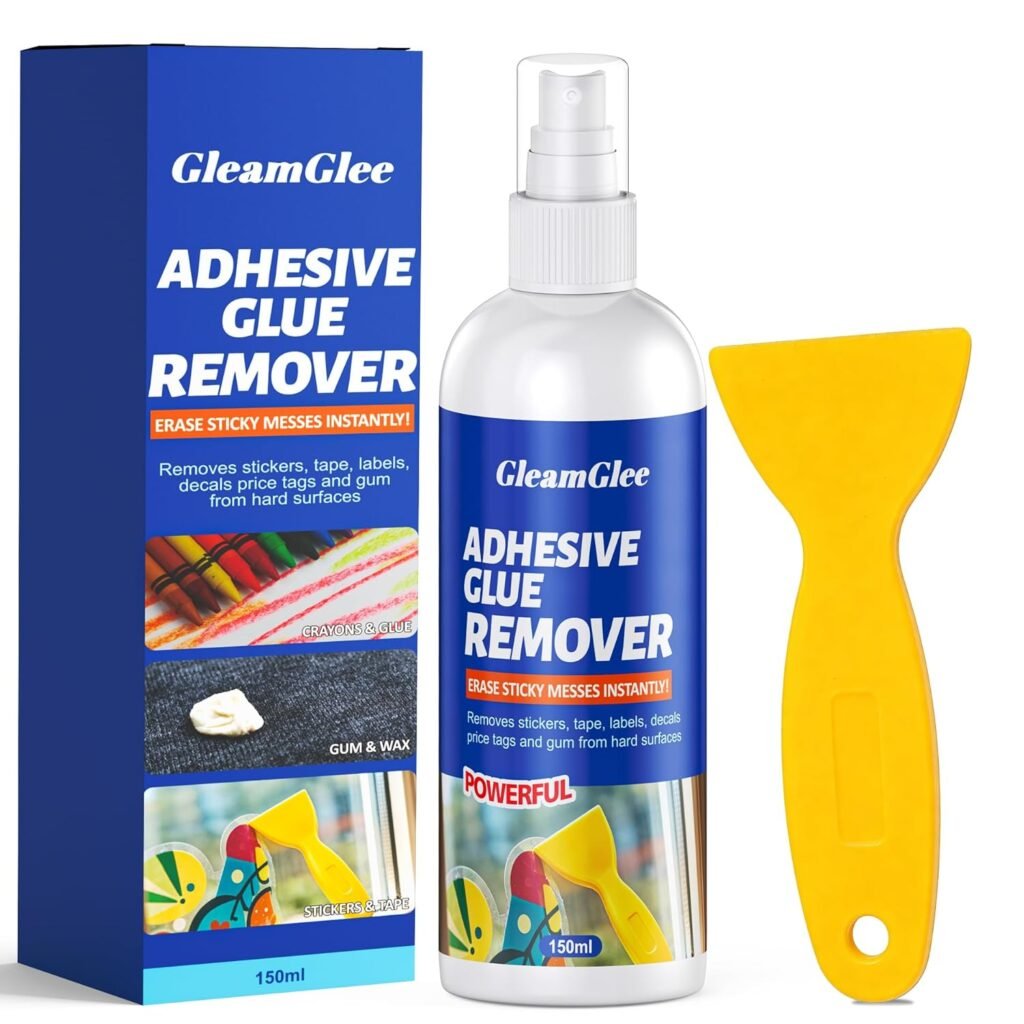
If the residue still feels sticky after wiping, water alone may not be enough. The glue needs to be softened and lifted away. GleamGlee adhesive remover is designed for this kind of sticky residue. On suitable hard case surfaces, users can apply a small amount, wait about 15 seconds, then wipe or gently lift the softened glue with a cloth or plastic scraper. The case should always be removed from the iPhone first and tested in a hidden area before full cleaning.
Why Does Old Sticker Residue Get Harder to Remove?
Old sticker residue gets harder to remove because adhesive changes with time, heat, pressure, and dirt buildup. A fresh sticker may leave soft glue that rolls away with light rubbing. An old sticker can leave a dry, stubborn, rubbery layer that sticks tightly to the case. The longer it stays on the surface, the more it can spread, flatten, and bond into tiny surface textures.
Daily phone use makes the problem worse. The case is warmed by the hand, pressed into pockets, placed on desks, exposed to sunlight, and sometimes heated during charging. These small temperature changes can soften and reset the glue many times. Dust and lint then stick to the exposed adhesive, turning a clean glue mark into a darker, dirtier patch.
Old residue is also harder because users often try several quick fixes before using the right cleaner. Scratching with a fingernail can break the residue into uneven pieces. Rubbing with a dry cloth can smear it wider. Using too much oil can leave a greasy film. Using a harsh solvent can risk clouding, discoloration, or print damage.
A safer way to handle old residue is to remove it in short rounds:
| Step | What to Do | Why It Helps |
|---|---|---|
| 1 | Remove the iPhone case | Keeps cleaner away from the phone |
| 2 | Test a hidden area | Checks for color or finish change |
| 3 | Apply a small amount | Avoids soaking the case |
| 4 | Wait about 15 seconds | Lets residue soften |
| 5 | Wipe or scrape gently | Reduces scratch risk |
| 6 | Repeat lightly if needed | Removes thick residue layer by layer |
| 7 | Dry fully | Prevents liquid from staying in case edges |
Old residue may need more than one pass, but it should not need aggressive scraping. If the glue does not lift, soften it again instead of pressing harder.
Which Adhesive Remover Fits iPhone Case Sticker Residue?
The adhesive remover that fits iPhone case sticker residue should soften glue quickly, work in a small controlled area, wipe clean without a heavy oily feel, and reduce the need for hard scraping. The case should always be removed from the iPhone first. A hidden-area test is also necessary because hard plastic, clear TPU, silicone, matte, printed, coated, and leather-style cases can react differently to cleaning liquids.
A good remover is not simply the strongest liquid available. Phone cases are handled every day, so the final surface still needs to feel smooth, dry, and comfortable after cleaning. If the remover leaves a greasy film, changes the case color, makes a matte surface shiny, clouds a clear case, or damages printed artwork, the cleaning result is not acceptable even if the glue is gone.
GleamGlee adhesive remover is made for sticky residue, sticker glue, label marks, tape residue, old adhesive, light silicone marks, wax, grease, and gum residue on suitable hard surfaces. For iPhone case sticker residue, it should be used lightly: apply a small amount to the residue, wait about 15 seconds, wipe or lift the softened glue with a cloth or plastic scraper, then dry the case fully before putting it back on the phone.
Which iPhone Case Materials Matter?
iPhone case material matters because the same adhesive remover can behave differently on different surfaces. A hard plastic case may tolerate residue cleaning better than a soft-touch case. A clear TPU case may show every cloudy patch and scratch. A silicone case may keep a slick feel if the cleaner is not wiped away fully. A printed case may lose color if the remover sits over the artwork too long. A leather-style case may darken or stain if liquid soaks into the surface.
For most daily users, the biggest concern is not only removing glue. They want the case to look normal afterward. A clear case should still look clear. A matte case should not become shiny in one spot. A printed case should not lose its design. A silicone case should not feel oily or tacky. That is why material checking should happen before spraying anything on the visible residue.
A practical case-material guide:
| iPhone Case Material | Common Residue Problem | Main Risk | Better Cleaning Habit |
|---|---|---|---|
| Hard plastic | Price label glue, sticker shadow | Fine scratches from hard scraping | Use cloth and plastic scraper gently |
| Clear TPU | Cloudy glue patch, lint marks | Clouding, scratches, visible streaks | Test first, use light pressure |
| Silicone | Sticky patch that holds lint | Slick feel after cleaning | Use small amount and wipe thoroughly |
| Matte case | Sticker outline or shiny glue film | Rubbing can create shine | Avoid polishing one spot too hard |
| Printed case | Glue over logo or artwork | Ink fading or lifting | Test first and avoid heavy rubbing |
| Leather-style case | Sticky mark or label stain | Darkening, staining, finish change | Use extreme caution or milder care |
| Soft-touch case | Gummy patch | Coating may soften or turn tacky | Hidden-area test is essential |
| Hybrid case | Residue near seams or corners | Liquid trapped between layers | Apply with cloth or cotton swab |
For hard plastic, clear TPU, and many smooth cases, adhesive remover can be useful when tested first. For leather, fabric, soft-touch, rubberized, suede-like, glitter-coated, metallic-coated, or heavily printed cases, the cleaning should be slower and more cautious. If the case is expensive or limited-edition, test twice before touching the visible area.
Which Adhesive Remover Needs Testing?
Every adhesive remover needs testing before full use on iPhone case sticker residue. Phone cases often have coatings, dyes, prints, soft textures, or protective finishes that are not obvious at first glance. A case may look like simple plastic, but the surface could be matte-coated, UV-printed, rubberized, or sealed with a thin decorative layer. If the remover reacts with that layer, the case may turn cloudy, sticky, shiny, faded, or rough.
The hidden-area test should be small and simple. Choose a place that is not visible when the case is installed, such as the inner lower edge, inside corner, or a small part near the bottom lip. Apply a tiny amount of remover to a cloth or cotton swab, touch the hidden spot, wait about 15 seconds, wipe it dry, and check the result under bright light. Do not judge the test while the surface is still wet. Some changes appear only after drying.
Check the test area for these signs:
- Color fading or darkening
- White haze or cloudiness
- Sticky or softened coating
- Matte surface turning shiny
- Printed ink transferring to the cloth
- Leather-style surface becoming darker
- Rough or swollen texture
- Strong lingering cleaner feel
| Test Result | What It Means | What to Do |
|---|---|---|
| No visible change after drying | Case may tolerate the remover | Clean the residue lightly |
| Slight cloudiness | Surface may be sensitive | Stop and use a milder method |
| Color on the cloth | Print or dye may lift | Do not use on visible area |
| Surface feels tacky | Coating may be softening | Stop immediately |
| Matte area turns shiny | Finish is changing | Avoid rubbing or remover |
| Leather darkens | Liquid is affecting material | Do not continue |
| Strong smell remains in case | Too much product used | Wipe and air-dry longer |
GleamGlee adhesive remover is designed to act quickly, so it should not be left sitting on phone case surfaces for a long time. Short contact is better: apply, wait briefly, wipe, inspect, and repeat only if the case looks unchanged.
Which Adhesive Remover Tools Help?
The best tools for iPhone case sticker residue are soft microfiber cloths, cotton swabs, plastic scrapers, and plastic cards with smooth edges. These tools help remove softened glue without cutting into the case surface. The tool should lift the residue after the remover has softened it; it should not be used like a blade against dry glue.
A plastic scraper is especially useful for thick residue, old label glue, double-sided tape, and MagSafe-style ring sticker marks. GleamGlee adhesive remover includes a scraper, which helps users avoid unsafe tools such as razors, knives, and metal blades. On phone cases, the scraper should be held at a low angle and moved slowly. If the glue resists, apply a little more remover and wait again instead of pushing harder.
Microfiber cloth is better for final wiping because it is soft and less likely to scratch clear or glossy cases. Cotton swabs are helpful around camera cutouts, button grooves, and small edges where spraying directly may use too much liquid. A plastic card can help lift softened glue from flat case backs, but the edge should be smooth, not cracked or sharp.
| Tool | Best Use | Avoid This Mistake |
|---|---|---|
| Microfiber cloth | Wiping and polishing clear or glossy cases | Using a dirty cloth with grit |
| Cotton swab | Camera edge, button groove, small sticker marks | Soaking the swab until liquid drips |
| Plastic scraper | Thick softened glue or tape residue | Scraping dry glue with force |
| Plastic card | Flat residue on hard case backs | Using a sharp broken edge |
| Soft cloth | General wiping | Smearing glue with the same dirty spot |
| Paper towel | Quick first wipe | Leaving fibers in sticky residue |
| Soft toothbrush | Textured hard plastic only | Scrubbing printed or matte finishes |
| Metal blade | Not recommended | Scratches, cuts, and permanent marks |
For the cleanest result, fold the cloth often and use a fresh section each time glue transfers onto it. If the same sticky cloth area is rubbed over the case, the residue may smear wider. The process should feel controlled: soften, lift, wipe, check, then repeat if needed.
Which Areas Need Care?
The areas that need the most care are camera cutouts, button covers, charging-port openings on the case, raised lips, MagSafe ring marks, printed artwork, clear corners, seams, leather-style surfaces, and inner surfaces that touch the phone. Even when the case is removed, cleaner can sit in grooves or layered edges and later transfer back to the iPhone if the case is reinstalled too soon.
Sticker residue near a camera cutout should be cleaned with a cotton swab or cloth instead of heavy spraying. Residue near button covers should be treated lightly because liquid can hide in the grooves. A MagSafe ring sticker may leave thicker adhesive, but that does not mean the case should be soaked. It is safer to soften the glue in short rounds and lift it gradually.
Printed areas need extra caution. Some phone case designs are printed on the surface, not under a protective layer. Rubbing or solvent contact can fade the print. Matte and soft-touch cases also need care because too much rubbing can create a shiny spot that remains visible after the glue is gone.
| Case Area | Main Risk | Safer Cleaning Method |
|---|---|---|
| Camera cutout | Liquid trapped around raised lip | Use cotton swab with small amount |
| Button covers | Cleaner hides in grooves | Wipe grooves dry before reinstalling |
| MagSafe ring mark | Thick adhesive remains | Short softening rounds, gentle scraper |
| Printed artwork | Ink may fade or lift | Test first, avoid hard rubbing |
| Clear corners | Scratches show easily | Microfiber cloth and light pressure |
| Inner case surface | Touches phone directly | Wipe clean and dry fully |
| Leather-style surface | Darkening or staining | Avoid remover unless tested safely |
| Soft-touch coating | Tacky or shiny finish change | Minimal liquid and no hard rubbing |
| Case seams | Cleaner may stay inside layers | Do not soak; air-dry longer |
For most phone cases, targeted cleaning is safer than soaking. Treat only the sticky spot, keep liquid away from openings and seams, and let the case dry fully before putting it back on the iPhone. A case that feels dry on the outside may still hold liquid around button grooves or camera lips, so checking those areas matters.
How to Use Adhesive Remover for iPhone Case Sticker Residue?
Adhesive remover for iPhone case sticker residue should be used slowly and carefully: remove the case from the iPhone, test a hidden area, apply a small amount to the sticky spot, wait briefly, then wipe or lift the softened glue with a cloth or plastic scraper. The goal is to soften the residue first, not scrape the case surface with force.
Phone cases have small details that make cleaning tricky. Liquid can sit around camera cutouts, button covers, MagSafe ring marks, case seams, and inner edges. Even if the residue is only on the outside, the case should be cleaned separately from the phone. This helps prevent cleaner from touching the iPhone frame, screen edge, camera lens, speaker holes, charging port, or buttons.
GleamGlee adhesive remover is designed for fast sticky residue cleaning. For suitable hard case surfaces, the process is simple: apply lightly, wait about 15 seconds, then wipe or scrape gently. For thick residue, repeat the same short process instead of soaking the case or rubbing harder. Short, controlled cleaning protects the case better than one aggressive attempt.
Step 1: Remove the iPhone Case
Before using adhesive remover, remove the iPhone case completely from the phone. This is the first safety step because adhesive remover should be used on the case surface only, not on the iPhone itself. Many people try to clean the sticky patch while the case is still installed, but liquid can run into the camera lip, button gaps, charging-port cutout, or the narrow space between the phone and the case. Once cleaner is trapped there, it may transfer back to the phone when the case is pressed or reinstalled.
Remove the case gently, especially if it is a tight hard-shell case or an older clear TPU case. Start from a lower corner and slowly flex the case away from the phone. Do not bend an old clear case too sharply, because aged TPU can become stiffer over time. Place the iPhone somewhere dry and away from the cleaning area before starting.
After removing the case, check the sticker residue closely. Look at the case material, the size of the sticky patch, and whether the residue is near any sensitive area. A flat hard plastic back is easier to clean than residue near printed artwork, a MagSafe ring, camera cutout, or soft-touch coating.
| Area to Check | Why It Matters | Better Habit |
|---|---|---|
| Camera cutout | Cleaner can sit around raised edges | Clean with cotton swab |
| Button covers | Liquid can hide in grooves | Wipe dry before reinstalling |
| Inner case lip | Touches the phone frame later | Keep fully dry |
| Printed design | Ink may fade if rubbed hard | Test before cleaning |
| MagSafe ring area | Residue may be thick | Soften in short rounds |
| Clear case back | Scratches show easily | Use microfiber cloth |
Step 2: Test the Hidden Area
Before applying adhesive remover to the visible sticker residue, test a hidden area of the case. This step is important because iPhone cases are made from different materials and finishes. A cleaner may work well on hard plastic but cause cloudiness on a clear case, shine marks on a matte case, color change on a leather-style case, or ink transfer on a printed case.
Choose a hidden spot such as the inside bottom edge, inner corner, or a small area that is covered when the phone is installed. Apply a tiny amount of GleamGlee adhesive remover to a cloth or cotton swab, then touch the hidden area lightly. Wait about 15 seconds, wipe the spot clean, and let it dry. Do not judge the result while it is still wet, because some surface changes only appear after drying.
Check the tested spot under bright light. If the surface looks normal, feels normal, and does not transfer color to the cloth, you can continue carefully on the residue. If the spot turns cloudy, tacky, rough, shiny, darker, or faded, stop and use a milder cleaning method instead.
| Test Result | Meaning | Next Step |
|---|---|---|
| No change after drying | Surface may tolerate remover | Clean residue lightly |
| Cloudy mark appears | Clear or coated surface is sensitive | Stop |
| Cloth picks up color | Print or dye may lift | Avoid remover |
| Surface feels sticky | Coating may be softening | Stop immediately |
| Matte area turns shiny | Finish is changing | Do not rub further |
| Leather-style surface darkens | Liquid is affecting the material | Avoid use |
Step 3: Apply Adhesive Remover
Apply adhesive remover only to the sticker residue, not to the whole case. For phone cases, a small amount is usually enough. Too much liquid may spread glue over a larger area, enter case seams, sit around button covers, or leave a slick feel on silicone surfaces. The residue should look slightly wet, not soaked.
There are two good application methods. For a large flat residue patch on a hard plastic or clear case, use a light spray directly on the sticky area. For small marks, printed cases, camera cutouts, button areas, and silicone cases, spray the remover onto a microfiber cloth or cotton swab first, then press it onto the residue. This gives better control and reduces the chance of liquid running into unwanted areas.
GleamGlee adhesive remover is designed to soften sticky residue quickly. After applying, avoid touching or scraping immediately. Let the cleaner contact the glue layer briefly so the residue can loosen. If the residue is thick, such as double-sided tape or MagSafe ring sticker adhesive, clean it in layers. Apply a small amount, wait, wipe or scrape gently, then repeat if needed.
| Residue Type | Best Application Method | Reason |
|---|---|---|
| Small price label glue | Apply with cotton swab | Better control |
| Large sticker shadow | Light direct spray | Even coverage |
| Thick tape residue | Apply, wait, scrape, repeat | Removes layer by layer |
| MagSafe ring residue | Short repeated applications | Avoid soaking |
| Residue near camera lip | Cotton swab only | Prevents liquid pooling |
| Printed case residue | Cloth application | Reduces print risk |
| Silicone case residue | Small amount on cloth | Avoids slick feel |
Step 4: Wait About 15 Seconds
After applying adhesive remover, wait about 15 seconds before wiping. This short waiting time allows the remover to soften the sticky glue so it can lift more easily. If you wipe too quickly, the remover may only spread across the surface without breaking down the residue. If you wait too long on a delicate case, the cleaner may increase the chance of clouding, finish change, or surface softening.
For fresh sticker residue, 10–15 seconds may be enough. For old label glue, tape residue, or thick adhesive, one round may not remove everything. Instead of leaving the remover on the case for several minutes, repeat short rounds. This is safer for clear TPU, printed, matte, silicone, soft-touch, and coated cases.
During the waiting time, watch the surface. The residue may begin to look wetter, softer, or slightly lifted at the edges. That is normal. If the case surface itself starts to change—such as turning cloudy, tacky, faded, or shiny—stop and wipe the remover off immediately.
| Residue Condition | Waiting Method | Cleaning Note |
|---|---|---|
| Fresh sticker glue | About 10–15 seconds | Wipe with soft cloth |
| Thin label film | About 15 seconds | Use light pressure |
| Thick tape glue | 15 seconds per round | Repeat if needed |
| Old hard residue | Multiple short rounds | Do not soak |
| Clear case residue | Short wait only | Check for clouding |
| Printed case residue | Short contact | Avoid rubbing artwork |
| Silicone case residue | Short wait, full wipe | Remove slick feel |
Step 5: Wipe or Scrape Sticker Residue
Once the residue has softened, wipe it with a clean microfiber cloth. Start from the outer edge of the sticky patch and move toward the center. This helps prevent softened glue from spreading across the clean case surface. Fold the cloth often so a clean section touches the residue each time. If the cloth becomes sticky, switch to a fresh area instead of rubbing the same glue back onto the case.
For thick residue, use the plastic scraper gently. Hold it at a low angle and slide it under the softened glue. Do not dig into the case. If the residue does not lift with light pressure, apply a little more remover and wait again. Scraping harder can leave scratches, especially on clear, glossy, matte, or coated cases.
After the main residue is removed, wipe the area again with a clean cloth. For silicone cases, a final damp cloth wipe can help remove any slick feel if the material allows it. For clear cases, check under light from different angles. Sometimes a thin adhesive film remains even when the case no longer feels sticky.
| Case Type | Better Wiping Method | Avoid |
|---|---|---|
| Clear TPU | Microfiber cloth, light pressure | Rough paper towel |
| Hard plastic | Cloth plus plastic scraper | Metal blade |
| Silicone | Cloth, then final clean wipe | Leaving slick residue |
| Matte case | Short gentle strokes | Hard polishing |
| Printed case | Dab and wipe lightly | Scrubbing artwork |
| Soft-touch case | Minimal pressure | Repeated rubbing |
| Leather-style case | Avoid remover unless tested | Wet rubbing |
Step 6: Dry the Case Before Reinstalling
After cleaning, dry the iPhone case fully before putting it back on the phone. This step is easy to skip, but it matters. Cleaner or moisture can hide around camera cutouts, button covers, case seams, MagSafe ring grooves, and inner corners. If the case is reinstalled too soon, leftover liquid may touch the phone surface.
Use a clean dry cloth to wipe the whole case, not only the cleaned spot. Pay extra attention to the inside surface because that part touches the phone. Then let the case air-dry for a while in a clean place. Do not use high heat to speed up drying, especially on TPU, silicone, printed, or coated cases.
Before reinstalling, check the case with your fingers. It should feel dry, smooth, and non-sticky. There should be no oily film, strong cleaner smell, liquid in grooves, or softened glue around the edges. If the case still feels tacky, repeat a light cleaning pass. If it feels slick, wipe it again with a clean damp cloth if the material allows, then dry.
Final checklist before putting the case back on:
- The sticky residue is gone or greatly reduced.
- The surface feels smooth, not tacky.
- No liquid remains in camera or button areas.
- The inside of the case is dry.
- No cleaner smell feels strong.
- No cloth fibers are stuck to the surface.
- No softened glue remains on edges.
- The case has air-dried fully.
- The iPhone is clean and dry before reinstalling.
GleamGlee adhesive remover works best when the process stays controlled: remove, test, apply, wait, wipe, dry. This method helps clean sticker residue while protecting the look and feel of the iPhone case.

Is Adhesive Remover Safe for iPhone Case Sticker Residue?
Adhesive remover can be safe for iPhone case sticker residue when the case is removed from the phone, tested on a hidden area, used in a small amount, and wiped dry after cleaning. It works best on suitable hard surfaces such as many plastic, clear TPU, and hard-shell phone cases. It needs more caution on silicone, matte, printed, coated, soft-touch, leather-style, fabric, or rubberized cases.
The main safety issue is not only the remover itself. Scraping pressure, soaking time, case material, and surface finish all affect the result. A cleaner that works well on a glass jar or metal tool may be too strong for a printed phone case. A plastic case may clean smoothly, while a soft-touch case may turn shiny or tacky. A clear case may remove the glue but still show old scratches or yellowing that the remover cannot fix.
For iPhone case sticker residue, safety comes from control. Do not spray the iPhone. Do not soak the case. Do not use metal blades. Do not leave cleaner sitting for minutes on delicate surfaces. Use short contact time, gentle wiping, and a plastic scraper only after the glue has softened. GleamGlee adhesive remover is designed to soften sticky residue quickly, so a light application and about 15 seconds of waiting are usually better than heavy rubbing.
Is Adhesive Remover Safe for Plastic?
Adhesive remover is often safe for many hard plastic iPhone cases when it is tested first and used lightly. Hard plastic cases usually handle sticker residue cleaning better than soft, coated, or leather-style surfaces because they are less absorbent and easier to wipe dry. However, plastic can still scratch, cloud, or lose shine if cleaned with too much pressure or the wrong tool.
The biggest mistake on plastic cases is dry scraping. Many users peel off a label, see glue left behind, then scrape it with a fingernail, knife tip, card corner, or metal blade. This may remove part of the glue, but it can also leave fine lines on glossy plastic. On a black hard case, those scratches may look like pale scuffs. On a clear case, they may catch light and look like permanent haze.
For hard plastic iPhone case residue, the safer process is simple. Remove the case, test an inside corner, apply a small amount of adhesive remover, wait about 15 seconds, then wipe with microfiber cloth. If the residue is thick, use a plastic scraper gently after the glue softens. If the glue does not lift, repeat the softening step instead of pressing harder.
| Plastic Case Issue | What Usually Happens | Safer Cleaning Choice |
|---|---|---|
| Price label glue | Thin sticky square remains | Light remover + microfiber cloth |
| Barcode sticker residue | Gummy glue patch | Remover + gentle plastic scraper |
| Tape mark | Long sticky strip | Apply in short sections |
| Clear plastic haze | Adhesive film reflects light | Wipe with clean cloth sections |
| Old sticker shadow | Glue mixed with dust | Repeat light cleaning rounds |
| Scraper mark | Surface is scratched, not dirty | Cleaning may not fully restore it |
For hard plastic cases, adhesive remover is usually more effective than rubbing with water alone. The key is to soften the residue before wiping. The product should do the work; the scraper should only help lift the softened glue.
Is Adhesive Remover Safe for Silicone?
Adhesive remover can be used carefully on some silicone iPhone cases, but silicone needs more caution than hard plastic. Silicone has a soft, slightly grippy feel, so sticker residue can cling to it tightly. It can also hold onto cleaner residue if too much liquid is used. After cleaning, the case may feel slick, oily, or uneven unless it is wiped thoroughly.
Silicone cases often collect lint even when they are clean. When sticker glue is added, the problem becomes worse. A small adhesive patch can trap dust, pocket fibers, hair, and hand oil very quickly. Water may remove surface dirt, but it may not remove the sticky layer. Adhesive remover can help soften that layer, but it should be applied in a very small amount.
For silicone cases, spraying directly is not always the best choice. A better method is to spray GleamGlee adhesive remover onto a microfiber cloth or cotton swab, then press it onto the sticky area. Wait briefly, wipe gently, and use a clean part of the cloth as the glue transfers. After the residue is removed, wipe the area again so the case does not feel slick.
Important silicone cleaning points:
- Use less remover than you would on a glass jar or metal surface.
- Do not soak the case.
- Avoid hard rubbing in one small spot.
- Wipe with a clean cloth after each pass.
- If the surface feels slippery, wipe again with a slightly damp cloth if the material allows.
- Let the case dry fully before reinstalling.
- Stop if the silicone color changes or the surface feels tacky.
| Silicone Cleaning Result | What It Means | What to Do |
|---|---|---|
| Sticky feel remains | Glue is still present | Repeat light remover pass |
| Slick feel remains | Cleaner residue may be left | Wipe clean and dry |
| Lint sticks again quickly | Surface is not fully clean | Final microfiber wipe |
| Color looks uneven | Material may be sensitive | Stop cleaning |
| Surface feels tacky | Coating or silicone may be reacting | Stop immediately |
Silicone cleaning should feel slow and controlled. The best result is not only removing the visible glue, but restoring a dry, smooth, comfortable hand feel.
Is Adhesive Remover Safe for Clear Cases?
Adhesive remover can be safe for many clear iPhone cases when the surface is tested first and cleaned with light pressure. Clear cases need extra care because every mark is easier to see. A dark case can hide small smudges, but a clear TPU or transparent plastic case shows cloudy residue, wipe streaks, lint, scratches, yellowing, and dull spots under light.
Sticker residue on clear cases often looks worse than it feels. A thin adhesive film can create a cloudy square that looks like permanent damage. If the cloudiness is glue film, adhesive remover can help soften and remove it. If the cloudiness comes from scratched plastic, aged TPU, or yellowed material, cleaning may improve the sticky feel but cannot fully restore the original clarity.
For clear cases, the safest method is light application and clean wiping. Use a microfiber cloth, not a rough paper towel. Check the case from different angles while cleaning. Use the plastic scraper only on softened glue and only with very light pressure. If a scraper leaves lines, those lines may stay visible.
Clear case cleaning tips:
- Test first on an inside lower edge.
- Use a small amount of remover.
- Wait about 15 seconds, not several minutes.
- Wipe with a clean microfiber cloth.
- Change cloth sections often to avoid smearing glue.
- Avoid abrasive pads, metal blades, and rough paper towels.
- Do not confuse old yellowing with removable residue.
- Dry fully and check under bright light.
| Clear Case Problem | Can Adhesive Remover Help? | Important Limit |
|---|---|---|
| Sticky label glue | Yes, if material passes test | Use light pressure |
| Cloudy sticker square | Often, if caused by glue film | Not if plastic is scratched |
| MagSafe ring residue | Yes, with repeated light passes | Avoid hard scraping |
| Yellowed TPU | No, not fully | Yellowing is material aging |
| Fine scratches | No | Scratches are physical damage |
| Lint stuck to glue | Yes | Remove glue source first |
GleamGlee adhesive remover is useful for clear case sticker residue because it works quickly and can reduce rubbing. For clear cases, reducing rubbing is valuable because friction is one of the easiest ways to create visible marks.
Is Adhesive Remover Safe for Leather?
Adhesive remover is usually not the first choice for leather iPhone cases or leather-style phone cases. Leather can absorb liquid, darken, stain, lose finish, or change texture. Leather-style cases may also have a thin coated surface that can react badly to cleaning products. Even if the sticker residue is removed, the cleaned area may look darker, shinier, or more worn than the rest of the case.
Leather is different from hard plastic because it is not a simple wipe-clean surface. It may have natural grain, dye, protective coating, oil content, and wear patterns. A strong remover can affect these layers. Once leather darkens or the finish changes, the mark may not go away. A small sticky spot can become a larger discoloration if too much liquid is applied.
For leather or leather-style cases, start with the mildest option. Gently lift any loose sticker pieces by hand. Use a dry soft cloth first. If the residue is light, a leather-safe cleaner may be a better option than adhesive remover. If adhesive remover is considered, test a tiny hidden area with a cotton swab and remove it quickly. Do not spray directly on leather.
Leather case caution guide:
| Leather Case Type | Main Risk | Safer Habit |
|---|---|---|
| Genuine leather | Darkening, staining, drying | Use leather-safe care first |
| Leather-style PU | Coating lift or shine change | Test a tiny hidden spot |
| Smooth coated leather | Finish may change | Avoid soaking |
| Worn leather | Uneven absorption | Avoid strong liquids |
| Printed leather case | Print or coating damage | Do not rub hard |
| Suede-like case | Liquid staining | Avoid adhesive remover |
A good rule is simple: if the case is leather, suede-like, fabric-covered, luxury-branded, or expensive, do not treat it like plastic. Adhesive remover is better suited for suitable hard surfaces. For leather cases, gentle care protects the look of the case better than fast glue removal.

What Mistakes Hurt iPhone Case Sticker Residue Cleaning?
The biggest mistakes in iPhone case sticker residue cleaning are using harsh solvents without testing, scraping with metal tools, soaking the case, and rubbing too hard in one spot. These methods may remove part of the glue, but they can also leave scratches, cloudy marks, shiny patches, color fading, tacky coating damage, or liquid trapped around case edges.
A phone case is not the same as a glass jar, metal tool, or kitchen counter. It is small, handled every day, and often made with coatings, prints, soft-touch finishes, clear TPU, silicone, or leather-style surfaces. A method that looks safe on a hard household surface may be too aggressive for a phone case. The safest cleaning habit is to soften the residue first, then wipe or lift it gently.
For iPhone case sticker residue, the goal is not only “remove the glue.” The case should still look clean, feel smooth, and fit back on the phone safely. Remove the case before cleaning, test a hidden area, use a small amount of adhesive remover, wait about 15 seconds, wipe with a soft cloth, and dry fully before reinstalling. If the case surface changes at any point, stop immediately.
Do Harsh Solvents Damage Cases?
Harsh solvents can damage iPhone cases because many cases are not made from plain, chemical-resistant plastic. Some cases have printed designs, matte coatings, rubberized finishes, leather-style layers, soft-touch surfaces, or clear TPU materials that can react badly to strong cleaners. A harsh solvent may remove sticker residue quickly, but it can also leave cloudy patches, faded color, peeling print, rough texture, or a sticky softened surface.
Acetone, nail polish remover, paint thinner, lacquer thinner, strong degreasers, and unknown industrial cleaners are risky choices for phone cases. They may work on metal tools or glass surfaces, but a phone case is usually thinner, softer, and more decorative. Clear cases can turn cloudy. Matte cases can become shiny in one spot. Printed cases can lose artwork. Leather-style cases can darken. Soft-touch cases can become tacky.
The mistake often happens when the residue looks stubborn. A user tries soap and water, sees no change, then jumps straight to a strong solvent. That can turn a small sticky mark into permanent surface damage. A better method is to use a product made for sticky residue, apply it lightly, and test first.
| Harsh Cleaner | Possible Case Damage | Better Choice |
|---|---|---|
| Acetone | Clouding, melting, print loss | Avoid on phone cases |
| Nail polish remover | Dull spots, discoloration | Use tested adhesive remover |
| Paint thinner | Surface softening | Do not use |
| Lacquer thinner | Coating damage | Avoid completely |
| Strong degreaser | Matte finish change | Test safer method first |
| Heavy alcohol rubbing | Print fade, dryness, shine change | Use lightly only after testing |
| Unknown cleaner | Unpredictable reaction | Do not risk it |
Safer habits:
- Test any cleaner on an inner edge first.
- Use short contact time instead of soaking.
- Stop if color transfers to the cloth.
- Stop if the case becomes tacky, cloudy, or shiny.
- Do not use strong solvents on leather, suede-like, soft-touch, or printed cases.
- Use a plastic scraper only after the residue softens.
GleamGlee adhesive remover is designed for sticky residue cleaning, but even a dedicated remover should be used carefully on phone cases. A small amount and a short wait are safer than flooding the surface.
Do Metal Tools Scratch Cases?
Metal tools can scratch iPhone cases very easily. A razor blade, knife tip, steel scraper, screwdriver edge, or metal tweezer may lift some glue, but it can also cut into plastic, scrape off print, or leave bright lines on clear and glossy surfaces. Once a clear case is scratched, the mark often stays visible under light, even after the residue is gone.
This mistake usually happens when sticker glue becomes thick or gummy. The user feels the glue with a fingernail, notices it has an edge, and reaches for something sharp. The problem is that phone case materials are softer than metal. A metal edge does not know the difference between glue and case surface. One slip can leave a permanent mark near the camera ring, MagSafe area, corner, or back panel.
Plastic tools are much safer. A plastic scraper, old plastic card with a smooth edge, microfiber cloth, or cotton swab can remove softened residue with less risk. The key word is softened. Even a plastic scraper can leave marks if the glue is dry and the user pushes too hard. The adhesive layer should be loosened first.
| Tool | Safe for Phone Cases? | Best Use |
|---|---|---|
| Microfiber cloth | Yes | Wiping and final polishing |
| Cotton swab | Yes | Corners, camera lip, button areas |
| Plastic scraper | Yes, gently | Thick softened residue |
| Plastic card | Yes, if smooth | Flat hard-case surfaces |
| Fingernail | Sometimes | Tiny soft residue only |
| Paper towel | Use carefully | May leave fibers on sticky glue |
| Metal blade | No | High scratch risk |
| Knife tip | No | Can gouge the case |
| Rough sponge | No | Can dull glossy or clear surfaces |
Better scraping method:
- Apply a small amount of adhesive remover.
- Wait about 15 seconds.
- Hold the plastic scraper at a low angle.
- Push slowly under the softened residue.
- Wipe away lifted glue with a clean cloth.
- Repeat lightly if residue remains.
- Never dig into the case surface.
The scraper should lift glue, not fight the case. If pressure is needed, the residue is not soft enough yet.
Does Too Much Liquid Matter?
Too much liquid matters because phone cases have camera cutouts, button covers, charging-port openings, MagSafe rings, seams, raised lips, and inner surfaces that touch the phone. Even after the case is removed, extra cleaner can hide in those areas. If the case is put back too soon, leftover liquid may transfer to the iPhone frame or sit against the phone surface.
More adhesive remover does not always mean faster cleaning. On small sticker residue, too much liquid can spread softened glue into a wider smear. On silicone cases, it can leave a slick feel. On clear cases, it can leave streaks. On printed cases, it may increase the chance of ink transfer. On leather-style or soft-touch cases, extra liquid can cause darkening, tackiness, or finish change.
Phone case cleaning should be targeted. Treat the sticky spot, not the whole case. For a small residue mark, spray the remover onto a cloth or cotton swab first, then touch the glue. For a larger flat sticker shadow, use only a light spray. The residue should look slightly wet, not soaked.
| Too Much Liquid Can Cause | Where It Happens Most | Better Method |
|---|---|---|
| Cleaner trapped in grooves | Button covers, camera lips | Use cotton swab |
| Sticky glue smears wider | Large sticker patches | Wipe with clean cloth sections |
| Slick surface feel | Silicone cases | Final damp wipe and dry |
| Streaks or haze | Clear cases | Microfiber polish after cleaning |
| Print fading risk | Printed cases | Cloth application only |
| Darkening | Leather-style cases | Avoid strong liquid cleaning |
| Inner case residue | Inside surface | Dry fully before reinstalling |
Safe amount guide:
- Small glue dot: cotton swab amount.
- Price label mark: 1 light spray or cloth application.
- Thick tape residue: several light rounds, not one heavy soak.
- Camera cutout area: cotton swab only.
- Printed area: test first, then cloth application.
- Silicone case: use less product and wipe thoroughly.
- Clear case: light amount, clean microfiber finish.
After cleaning, check the inside of the case. The outside may feel dry while liquid still sits near button holes or raised edges. A full dry check prevents a clean case from becoming a new phone-care problem.
Does Hard Rubbing Leave Marks?
Hard rubbing can leave marks on iPhone cases, especially clear, glossy, matte, printed, silicone, leather-style, and soft-touch cases. When sticker residue does not come off quickly, many users press harder. That pressure can turn a matte finish shiny, create fine scratches on clear TPU, fade printed artwork, stretch silicone texture, or make soft-touch coatings feel uneven.
The problem is friction. Sticky residue often contains glue, lint, dust, and hand oil. If the user rubs hard, those tiny particles can act like grit. A dry cloth can drag the residue across the surface instead of lifting it. A paper towel may leave fibers in the glue. A dirty cloth can create small scratches. Rubbing one area again and again can change the surface finish even if the case does not visibly scratch.
A better method is to soften the residue and wipe in short passes. Use a clean microfiber cloth. Fold the cloth often so a fresh area touches the glue. Wipe from the outer edge of the sticky patch toward the center. If the residue smears, stop and apply a little more remover instead of rubbing harder.
| Case Finish | Hard Rubbing Risk | Better Cleaning Style |
|---|---|---|
| Clear TPU | Fine scratches, cloudy haze | Soft microfiber, light pressure |
| Glossy plastic | Swirl marks | Clean cloth, short strokes |
| Matte case | Shiny patch | Gentle wiping, no polishing |
| Printed case | Faded artwork | Dab and wipe lightly |
| Silicone case | Slick or uneven feel | Short wipes and final clean cloth |
| Soft-touch case | Tacky coating | Minimal pressure |
| Leather-style case | Worn or dark spot | Avoid hard rubbing |
Better wiping steps:
- Let the remover soften the glue first.
- Use microfiber instead of rough paper towel.
- Change cloth sections as glue transfers.
- Do not rub one small spot for too long.
- Use a plastic scraper gently for thick residue.
- Repeat light cleaning rounds if needed.
- Stop if the finish changes.
- Dry the case fully before use.
A clean case should feel smooth, dry, and non-sticky. If the surface looks shiny, cloudy, scratched, or faded after cleaning, the problem was likely too much force, the wrong tool, or a sensitive case finish.
Are Adhesive Removers Better Than DIY Methods?
Adhesive removers are often better than DIY methods when iPhone case sticker residue is old, thick, gummy, or mixed with dust and lint. A dedicated remover is made to soften the glue layer first, so the residue can be wiped or lifted with less scraping. This matters because hard rubbing, metal tools, and random household cleaners can damage clear, matte, printed, silicone, or leather-style cases.
DIY methods can still work for light residue. Warm soapy water may clean fresh sticker glue. A plastic card may lift a soft label edge. A small amount of oil may loosen some adhesive. Alcohol may help on certain hard plastic surfaces. Heat may soften some stickers before peeling. The problem is that DIY methods are less predictable across different case materials and often require more rubbing, more waiting, or more cleanup.
For iPhone cases, the better method depends on the residue and the case finish. If the glue is fresh and light, start mild. If the residue is stubborn, sticky, lint-covered, or left by tape, decals, price labels, or MagSafe-style rings, a tested adhesive remover is usually more efficient. GleamGlee adhesive remover works quickly on suitable hard surfaces: apply lightly, wait about 15 seconds, then wipe or gently scrape softened residue.
Are Oils Too Messy?
Oils can loosen some sticker residue, but they are often messy on iPhone cases. Cooking oil, baby oil, coconut oil, mineral oil, or essential oils may soften adhesive slowly, but they can leave a greasy film that feels unpleasant in the hand. A phone case is touched many times a day, placed in pockets, set on desks, and held near the face. If oil is not removed completely, the case may feel slippery, attract lint, or transfer residue to the phone surface.
Oil is especially tricky on silicone and soft-touch cases. These materials already have a grippy surface, so leftover oil can create an uneven feel: part slick, part tacky. On clear cases, oil can leave streaks that look like cloudy residue. On matte cases, rubbing oil into one area may create a darker or shinier patch. On leather-style cases, oil may darken the material permanently.
Oil may help with a very small glue spot on a simple hard plastic case, but it usually adds an extra cleaning step. After the glue softens, the oil itself must be washed or wiped away. If soap is then used to remove the oil, more water touches the case. That can be fine for some cases, but not ideal for layered, printed, leather-style, or soft-coated cases.
| DIY Oil Method | Possible Benefit | Common Problem on iPhone Cases |
|---|---|---|
| Cooking oil | Can soften light glue | Greasy smell and slippery film |
| Baby oil | Gentle feel on some surfaces | Lint sticks if not wiped fully |
| Coconut oil | Can loosen sticky patches | Waxy film when cool |
| Mineral oil | Helps soften some adhesives | Hard to remove from silicone feel |
| Essential oil | May break down glue | Fragrance, staining, coating risk |
A tested adhesive remover is usually cleaner for stubborn iPhone case sticker residue because it targets the adhesive without leaving a heavy oil layer. GleamGlee adhesive remover is designed to wipe clean after use and help leave the surface smooth instead of greasy. For a phone case, that dry, clean hand feel is just as important as removing the visible glue.
Is Alcohol Always Safe?
Alcohol is not always safe for iPhone case sticker residue. It may work on some hard plastic cases, especially for light residue, but it can also affect printed designs, matte coatings, rubberized surfaces, soft-touch finishes, leather-style materials, and some clear case surfaces. Many people use alcohol wipes because they are nearby, not because they are the best match for the case.
Alcohol can dry or dull certain finishes. On printed cases, it may lift ink or fade colors if the artwork is not well protected. On matte cases, repeated rubbing can create a shiny spot. On soft-touch cases, it may make the coating feel uneven or tacky. On leather-style cases, alcohol can cause dryness, darkening, or finish changes. On clear TPU cases, the main issue may be streaking or rubbing marks, especially if the user presses hard.
Alcohol also has a performance limit. It may clean fingerprints and some light glue film, but it often struggles with thick double-sided tape, old barcode labels, gummy sticker adhesive, and lint-covered residue. When alcohol does not work quickly, users often rub harder. That extra friction is what creates scratches, haze, or finish damage.
| Case Type | Alcohol Risk | Better Cleaning Habit |
|---|---|---|
| Hard plastic | Lower risk, but still test | Use light wiping only |
| Clear TPU | Streaks, haze from rubbing | Use microfiber cloth |
| Printed case | Ink transfer or fading | Avoid artwork |
| Matte case | Shiny rub mark | Do not polish one spot |
| Silicone case | Uneven feel or dryness | Wipe gently and dry well |
| Soft-touch case | Coating change | Test before use |
| Leather-style case | Darkening, dryness | Avoid alcohol |
A dedicated adhesive remover can be more effective when residue is stubborn because it softens the glue layer directly. The better sequence is not “rub harder”; it is “soften first, wipe second.” GleamGlee adhesive remover is useful here because it can loosen sticky residue quickly, reducing the need for repeated friction on the case surface.
Is Heat Useful?
Heat can be useful for softening sticker residue, but it must be used carefully on iPhone cases. Gentle warmth may help loosen a sticker before peeling or soften fresh adhesive film. Too much heat can warp plastic, soften TPU, affect printed designs, loosen case layers, or change the feel of silicone and soft-touch coatings. Phone cases are thinner and more delicate than many household surfaces, so heat should never be aggressive.
A hair dryer on low heat may help if a sticker is still attached. Warm the sticker lightly, peel slowly, then clean the residue. However, heat can also make adhesive smear. When glue becomes warm, it may spread into a wider, thinner film instead of lifting cleanly. This is common when the user heats the residue and then rubs it with a dry cloth. The patch may look larger after cleaning.
Heat is not ideal near glued case layers, metallic decoration, printed areas, leather-style surfaces, or old clear TPU. Clear cases that are already yellowed or stiff may not respond well to heat. Silicone can also change feel if heated too much. A warm cloth is safer than direct high heat, but it still may not remove stubborn tape residue.
| Heat Method | Possible Benefit | Risk on iPhone Cases |
|---|---|---|
| Warm cloth | Gentle softening | May spread glue if rubbed hard |
| Warm soapy water | Helps fresh residue | Not enough for old adhesive |
| Hair dryer on low | Helps peel sticker | Can warp or soften case if overused |
| Hot water soak | May loosen some glue | Can affect coatings and seams |
| High heat | Not recommended | Warping, finish damage, print damage |
Safer heat habits:
- Remove the case from the iPhone first.
- Use only mild warmth.
- Keep a hair dryer moving if used.
- Do not heat one spot for a long time.
- Stop if the case feels soft or bends.
- Avoid heat on leather-style, printed, or soft-touch cases.
- Do not combine heat with hard scraping.
For stubborn sticker residue, adhesive remover is usually more controlled than heat. It works on the glue directly without warming the whole case. GleamGlee adhesive remover can soften residue in short contact time, which reduces the need for risky heat methods.
Is Scraping Enough?
Scraping alone is usually not enough for iPhone case sticker residue. It may remove some thick glue, but it often leaves a thin sticky film behind. Dry scraping also increases the risk of scratches, especially on clear, glossy, printed, matte, and coated cases. If the glue is still hard, the user must apply more pressure, and more pressure usually means more surface damage.
A scraper should be used after the residue is softened, not before. This is where adhesive remover helps. Apply a small amount, wait about 15 seconds, then use a plastic scraper gently to lift the softened adhesive. If the residue does not move easily, repeat the softening step. Do not press harder or switch to a metal blade.
Scraping can be helpful for:
- Thick price label glue
- Old tape residue
- Double-sided tape
- MagSafe-style ring sticker adhesive
- Gummy decal residue
- Raised glue edges
- Sticker residue mixed with lint
Scraping is risky for:
- Printed designs
- Leather-style cases
- Soft-touch coatings
- Matte finishes
- Clear cases with visible scratches
- Thin flexible TPU corners
- Camera cutout edges if using too much pressure
| Scraping Method | Result | Better Approach |
|---|---|---|
| Dry scraping with force | Scratches and leftover film | Soften first |
| Metal blade scraping | Permanent surface marks | Avoid completely |
| Fingernail scraping | May lift small glue | Can leave dents or dull marks |
| Plastic scraper after remover | Safer glue lifting | Use low angle and light pressure |
| Scraping printed areas | Print damage | Avoid if possible |
| Scraping clear case hard | Visible fine lines | Use microfiber first |
The best cleaning sequence is softening plus gentle lifting. A plastic scraper is a helpful tool, not the whole solution. GleamGlee adhesive remover includes a scraper, so users do not need to reach for unsafe metal tools. When used after the glue has softened, it can remove thicker residue more cleanly and with less effort.
Conclusion
Adhesive remover for iPhone case sticker residue should be used with care, not force. The safest process is to remove the case from the phone, test a hidden area, apply a small amount to the residue, wait briefly, lift softened glue with a cloth or plastic scraper, then wipe and dry the case fully before reinstalling it. This method helps reduce scratches, cloudy spots, oily marks, print damage, and liquid trapped around case edges. It works especially well for hard plastic, many clear cases, and suitable silicone-style cases when the surface test shows no change.
GleamGlee adhesive remover is designed for fast sticky residue cleaning on suitable hard surfaces, including sticker glue, label residue, tape marks, old adhesive, wax, grease, and gum residue. Its spray design gives even coverage, the included scraper helps lift softened glue, and the formula wipes clean without a heavy greasy mess. For customers who want a cleaner phone case, reused glass jar, office desk, storage box, car hard surface, or DIY tool, it offers a practical daily cleaning solution. For brands, retailers, Amazon sellers, and private-label partners, GleamGlee can provide branded adhesive remover products, custom packaging, formula support, multilingual labels, scraper kit options, and scalable production for international markets.
Share:
Table of Contents
Here, creating your adhesives glue & removal cleaner collection is no longer a barrier—it’s a collaborative journey where GleamGlee helps brands and businesses transform their vision into durable, certified, and market-ready solutions.
Partner with GleamGlee
Join hundreds of global partners who trust GleamGlee for adhesives and cleaners that combine innovation, compliance, and speed. Our vertically integrated system—from R&D to warehouse—guarantees consistent performance and reliable delivery.
Whether you’re sourcing FBA-ready stock or developing your own formula, our team provides unmatched technical support and responsive service.